
1. Playwright là gì?
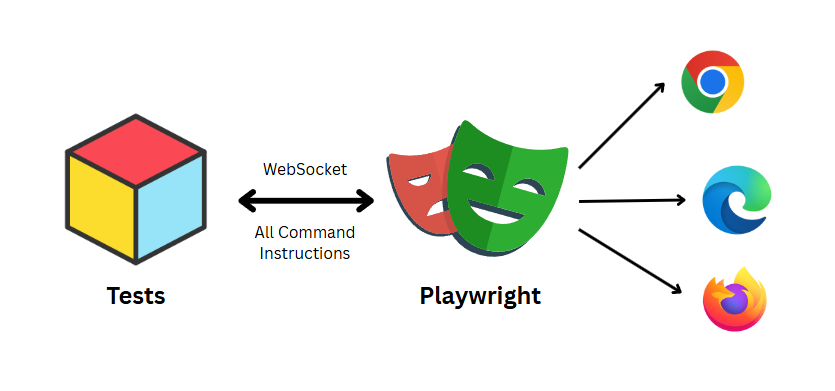
Playwright là framework E2E testing mã nguồn mở do Microsoft phát triển (2020), bởi team từng xây dựng Puppeteer.
Nó tích hợp sẵn:
- test runner
- assertions
- test isolation
- parallel execution
- debugging tools
→ tất cả trong một package duy nhất
Hỗ trợ:
- Chromium, Firefox, WebKit
- Windows, Linux, macOS
- Headless / headed
- Mobile emulation
Khác với Selenium (WebDriver), Playwright: → giao tiếp trực tiếp với browser qua DevTools Protocol → nhanh hơn và ổn định hơn
2. Core capabilities
Auto-wait (loại bỏ flaky test)
Playwright tự động chờ element:
- visible
- stable
- enabled
await page.getByRole('button', { name: 'Submit' }).click();
Không cần:
sleep()waitForSelector()
Assertions cũng auto-retry:
await expect(page).toHaveURL('/dashboard');
Test Isolation
Mỗi test chạy trong một BrowserContext riêng:
- không share cookies
- không share localStorage
- không share session
→ tương đương incognito → chạy song song không xung đột
Web-first Assertions
Assertions sẽ: → tự wait cho đến khi condition đúng
await expect(locator).toBeVisible();
→ giảm flaky test đáng kể
Locator (ưu tiên accessibility)
page.getByRole('button', { name: 'Login' })
thay vì:
page.locator('.btn-primary')
→ test resilient hơn khi UI thay đổi
Cross-browser
projects: [
  { name: 'chromium' },
  { name: 'firefox' },
  { name: 'webkit' }
]
→ viết 1 lần, chạy nhiều browser
3. Dev experience & tooling
Trace Viewer
npx playwright show-trace trace.zip
- timeline toàn bộ test
- DOM snapshot
- network / console log
→ debug deterministic
UI Mode
npx playwright test --ui
- watch mode
- time-travel debugging
- pick locator trực tiếp
Codegen
npx playwright codegen https://your-app.com
→ generate test từ thao tác thật
HTML Report
npx playwright show-report
Screenshots & Video
use: {
  screenshot: 'only-on-failure',
  video: 'retain-on-failure'
}
4. Advanced features
Network Interception
await page.route('**/api/**', route => {
  route.fulfill({ body: JSON.stringify({ mock: true }) });
});
API Testing
const res = await request.get('/api/users');
Multi-tab / Multi-window
const [newPage] = await Promise.all([
  context.waitForEvent('page'),
  page.click('a[target=_blank]')
]);
Parallel & Sharding
npx playwright test --shard=1/3
Fixtures
test('example', async ({ page, authUser }) => {
  // custom fixture
});
Authentication reuse
await context.storageState({ path: 'auth.json' });
5. Ưu & nhược điểm
Ưu điểm
- Nhanh, ổn định (DevTools Protocol)
- Built-in đầy đủ
- Parallel native
- Debug mạnh (trace viewer)
Nhược điểm
- Ecosystem chưa lớn bằng Selenium
- Cần làm quen locator mới
6. Playwright MCP — AI điều khiển browser
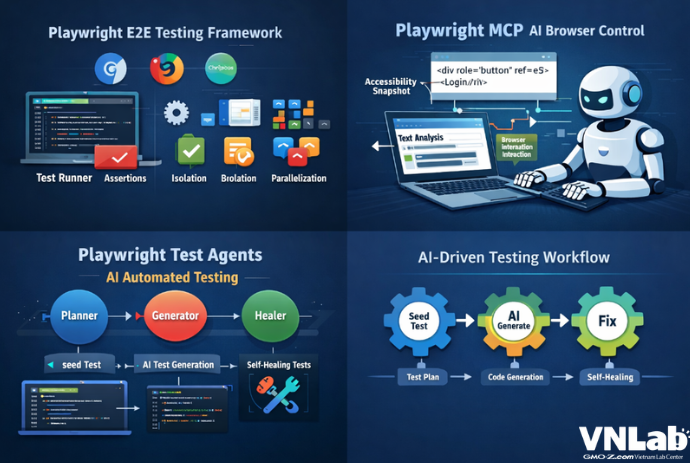
Playwright MCP server cho phép LLM (AI) tương tác với web thông qua Model Context Protocol.
Cách hoạt động:
- AI không nhìn screenshot hay pixel
- AI đọc accessibility snapshot — cấu trúc text mô tả toàn bộ UI
Ví dụ, AI nhìn thấy trang web như thế này:
- heading "todos" [level=1]
- textbox "What needs to be done?" [ref=e5]
- listitem:
  - checkbox "Toggle Todo" [ref=e10]
  - text: "Buy groceries"
Mỗi element có một ref (reference ID). AI dùng ref để tương tác:
ref=e5→ type text vào textboxref=e10→ check checkbox
→ không cần vision model, không đoán tọa độ → nhanh, chính xác, hoạt động với mọi MCP client (VS Code, Cursor, Kiro...)
7. Playwright Test Agents — AI tự viết test
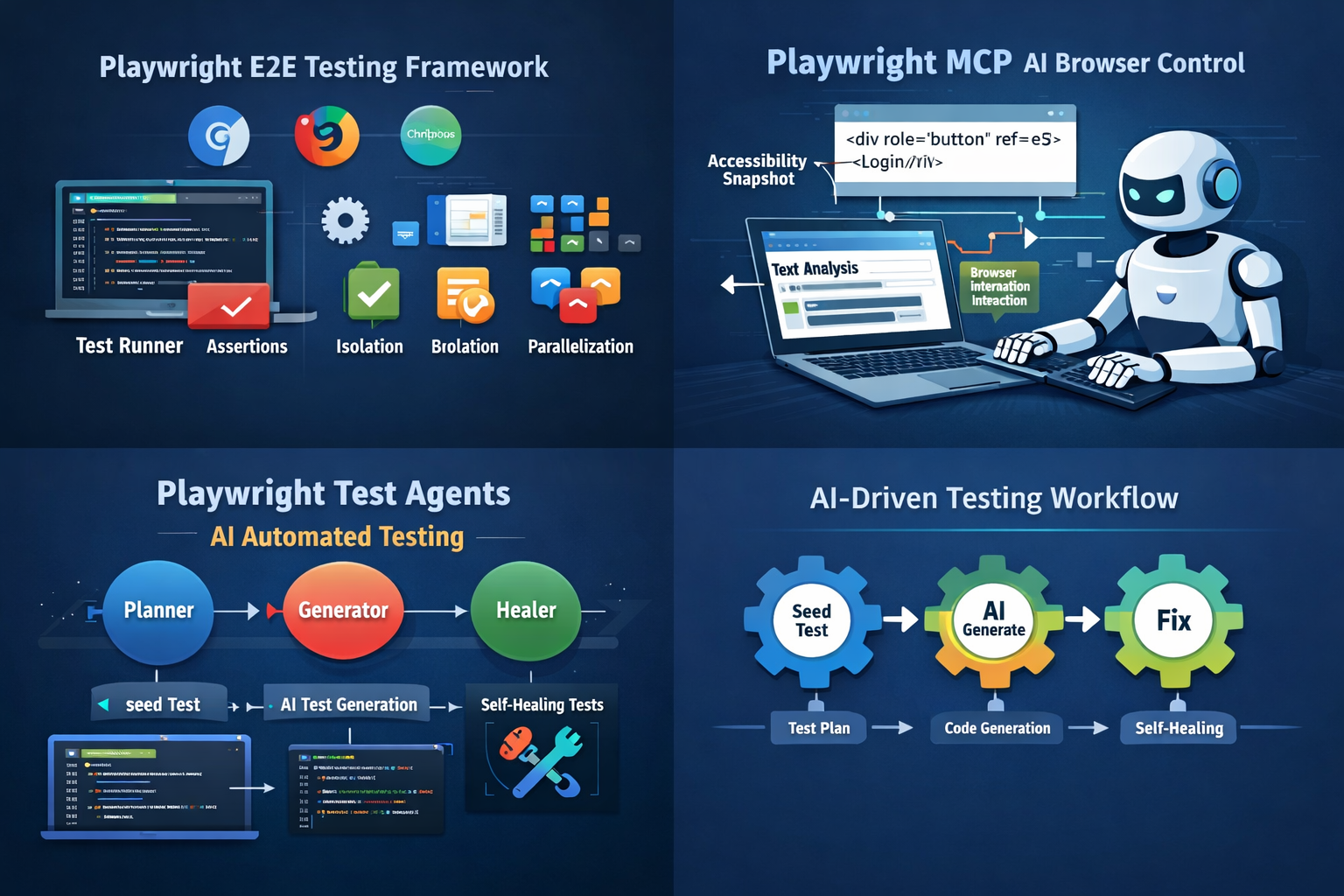
Playwright Test Agents đưa AI vào toàn bộ lifecycle của testing.
Bao gồm 3 agents:
- Planner — khám phá app, sinh test plan
- Generator — viết code test từ plan
- Healer — tự sửa test khi fail
Flow:
seed → planner → generator → healer
Seed file
Bạn chỉ cần viết 1 test cơ bản — đưa AI vào đúng trang cần test:
test('seed', async ({ page }) => {
  await page.goto('/');
  // login nếu cần
  // verify đã vào được app
});
Planner sẽ chạy seed này để "bước vào" ứng dụng, rồi từ đó khám phá tiếp.
Planner — tạo test plan
Planner mở browser, đi qua từng trang, đọc menu, form, button, table... rồi sinh ra file markdown mô tả các test scenarios:
## 1. Add Valid Todo
**Steps:**
1. Click "What needs to be done?" input
2. Type "Buy groceries"
3. Press Enter

**Expected:**
- Todo xuất hiện trong list
- Counter shows "1 item left"
Bạn review plan này, thêm edge cases nếu cần, rồi chuyển cho generator.
Generator — viết code test
Generator đọc plan, mở browser thật, thực hiện từng step, verify selector trực tiếp trên UI, rồi sinh code .spec.ts:
test('Add Valid Todo', async ({ page }) => {
  const input = page.getByRole('textbox', { name: 'What needs to be done?' });
  await input.fill('Buy groceries');
  await input.press('Enter');
  await expect(page.getByText('Buy groceries')).toBeVisible();
  await expect(page.getByText('1 item left')).toBeVisible();
});
Healer — self-healing test
Khi test fail (UI đổi, selector cũ, timing issue...), healer tự:
- replay failing step
- inspect UI hiện tại
- tìm element tương đương
- patch code (update locator, thêm wait...)
- chạy lại
Nếu feature thực sự bị lỗi (không phải do test sai): → healer skip test thay vì sửa vô nghĩa
8. Authentication trong thực tế
Khi app cần đăng nhập, test cần login trước khi chạy. Playwright có 2 cách tùy theo mode:
CLI mode (npx playwright test)
Login 1 lần, lưu session ra file, các test sau dùng lại — không cần login lại:
// auth.setup.ts — chạy 1 lần trước tất cả test
setup('login', async ({ page }) => {
  await page.goto('/login');
  await page.getByLabel('Username').fill('test');
  await page.getByLabel('Password').fill('test');
  await page.getByRole('button', { name: 'Login' }).click();

  // Lưu cookies + localStorage ra file
  await page.context().storageState({ path: 'playwright/.auth/user.json' });
});
Config để các test tự load session đã lưu:
projects: [
  { name: 'setup', testMatch: /.*\.setup\.ts/ },
  {
    name: 'chromium',
    use: { storageState: 'playwright/.auth/user.json' },
    dependencies: ['setup'],
  },
]
MCP mode (AI agents chạy test đơn lẻ)
Khi agents chạy test qua MCP, không có project config → không có session file. Dùng custom fixture để tự detect và auto-login:
export const test = base.extend({
  page: async ({ page }, use) => {
    const originalGoto = page.goto.bind(page);
    page.goto = async (url, options) => {
      const res = await originalGoto(url, options);
      if (page.url().includes('/login')) {
        await page.getByLabel('Username').fill('test');
        await page.getByLabel('Password').fill('test');
        await page.getByRole('button', { name: 'Login' }).click();
        await page.waitForLoadState('domcontentloaded');
      }
      return res;
    };
    await use(page);
  },
});
→ CLI mode: login 1 lần, reuse session → MCP mode: tự login khi cần
9. Test có side-effect — chạy lại vẫn pass
Một số test thực hiện hành động thay đổi dữ liệu thật:
- hủy đơn hàng
- xóa tài khoản
- cancel điểm
Vấn đề: lần đầu chạy thì pass, nhưng lần 2 dữ liệu đã bị thay đổi → test fail.
Cách xử lý: kiểm tra trạng thái dữ liệu trước khi thực hiện.
test('cancel order', async ({ page }) => {
  await page.goto('/orders');

  // Tìm đơn hàng chưa cancel
  const cancelBtn = page.getByRole('button', { name: 'Cancel' });

  if (await cancelBtn.count() === 0) {
    // Không còn đơn nào để cancel → skip thay vì fail
    test.skip(true, 'No orders available to cancel');
    return;
  }

  // Có đơn → thực hiện cancel
  await cancelBtn.first().click();
  await expect(page.getByText('Cancelled')).toBeVisible();
});
→ lần 1: cancel thành công → lần 2: detect không còn data → skip → test luôn green, chạy bao nhiêu lần cũng được
10. Kết luận
Playwright là E2E testing framework hiện đại:
- nhanh
- ổn định
- đa trình duyệt
Playwright MCP mở ra hướng: → AI điều khiển browser một cách deterministic
Playwright Test Agents đưa testing lên một level mới: → AI tự viết test → AI tự debug → AI tự sửa lỗi
Workflow mới:
seed → AI generate → AI fix
Với các hệ thống lớn hoặc cần scale automation, Playwright + Test Agents gần như là lựa chọn mặc định hiện tại.